

Sports Leagues lets you customize the URL slugs for all entity types. Change the default URLs from /game/ to /match/, or from /team/ to /club/ – whatever fits your site best.
🎯 Default URL Structure
Out of the box, Sports Leagues uses these URL patterns:
| Entity | Default URL Pattern | Example |
|---|---|---|
| Game | /game/{slug}/ | /game/lakers-vs-celtics/ |
| Tournament | /tournament/{slug}/ | /tournament/nba-2024/ |
| Team | /team/{slug}/ | /team/los-angeles-lakers/ |
| Player | /player/{slug}/ | /player/lebron-james/ |
| Official | /official/{slug}/ | /official/john-smith/ |
| Staff | /staff/{slug}/ | /staff/phil-jackson/ |
| Venue | /venue/{slug}/ | /venue/crypto-arena/ |
🔧 Changing URL Slugs
To customize URL slugs, go to Settings > Permalinks in your WordPress admin. Scroll down to the “Optional” section where you’ll find the Sports Leagues settings.
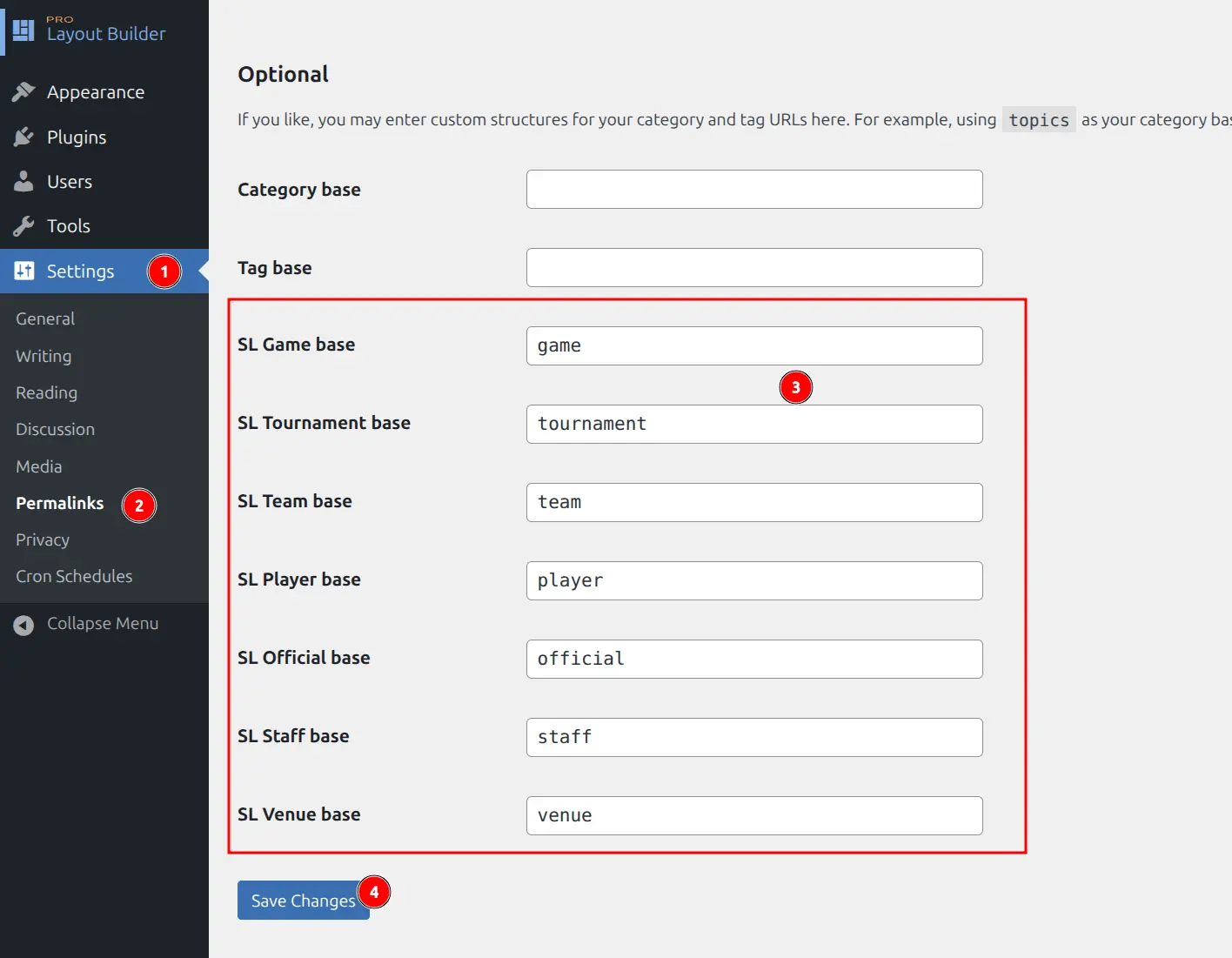
Available Settings
| Setting | Default Value | Description |
|---|---|---|
| SL Game base | game | URL base for game/match pages |
| SL Tournament base | tournament | URL base for tournament pages |
| SL Team base | team | URL base for team pages |
| SL Player base | player | URL base for player profiles |
| SL Official base | official | URL base for referee/official pages |
| SL Staff base | staff | URL base for coach/staff pages |
| SL Venue base | venue | URL base for stadium/arena pages |
Step-by-Step
- Go to Settings > Permalinks in WordPress admin
- Scroll to the Optional section
- Find the Sports Leagues fields (labeled “SL Game base”, “SL Team base”, etc.)
- Enter your preferred slug in each field
- Click Save Changes
Important
After changing slugs, click Save Changes to flush the permalink rules. Without this step, your pages may return 404 errors.
📝 Slug Formatting Rules
URL slugs are automatically sanitized:
- Lowercase only – “Match” becomes “match”
- Alphanumeric characters – Special characters are removed
- Hyphens for spaces – “my match” becomes “my-match”
- No leading/trailing slashes – Added automatically
Examples
| You Enter | Resulting URL |
|---|---|
match | /match/game-slug/ |
matches | /matches/game-slug/ |
club | /club/team-slug/ |
roster | /roster/player-slug/ |
arena | /arena/venue-slug/ |
🌍 Common Use Cases
Localization
Translate slugs to match your site’s language:
| Language | Game | Team | Player |
|---|---|---|---|
| Spanish | partido | equipo | jugador |
| French | match | equipe | joueur |
| German | spiel | mannschaft | spieler |
| Portuguese | jogo | time | jogador |
Sport-Specific Terms
Use terminology that fits your sport:
| Sport | Game Slug | Team Slug | Venue Slug |
|---|---|---|---|
| Soccer/Football | match | club | stadium |
| Basketball | game | team | arena |
| Ice Hockey | game | team | rink |
| Baseball | game | team | ballpark |
Avoiding Conflicts
If you have a WordPress page with the same slug as an entity type, change the entity slug to avoid 404 errors:
- Page at
/teams/conflicts with team archive → Change team base toclub - Page at
/players/conflicts with player archive → Change player base toroster
🔗 Finding Entity Slugs
Each entity has its own URL slug (the part after the base). You can see and edit this when editing any entity:

The full URL combines: Base Slug (from Permalinks settings) + Entity Slug (from individual post)
https://yoursite.com/{base-slug}/{entity-slug}/
https://yoursite.com/team/los-angeles-lakers/
🆘 Troubleshooting
404 Errors After Changing Slugs
Problem: Pages return 404 after changing permalink settings.
Solution: Go to Settings > Permalinks and click Save Changes again. This flushes the rewrite rules.
Changes Not Taking Effect
Problem: URLs still use old slugs after saving.
Solutions:
- Clear any caching plugin cache
- Clear browser cache or try incognito mode
- Re-save Permalinks settings
Slug Conflicts with Other Plugins
Problem: Another plugin uses the same slug.
Solution: Change the Sports Leagues slug to something unique. For example, if another plugin uses “team”, change the SL Team base to “club” or “squad”.
📚 Related Documentation
- Getting Started – Initial plugin setup
- Text Options – Customize frontend labels